


Photo Recover Fast
4.020.00 Reviews
App Specs
- Version
- 1.5.0.0
- Updated On
- License
- Free
- Downloads
- 100,000+
- Developer
- Aivora Green
- Categories
- Tools
- Platform
- Android
Screenshots
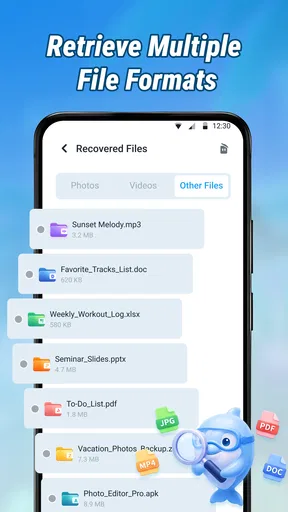
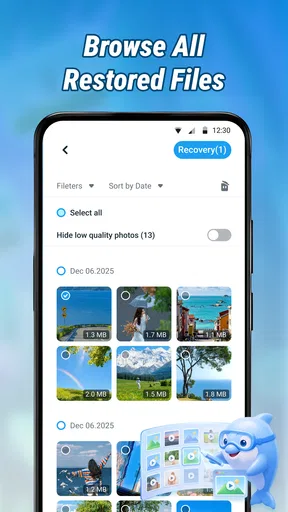
 Analysis by AppCompare
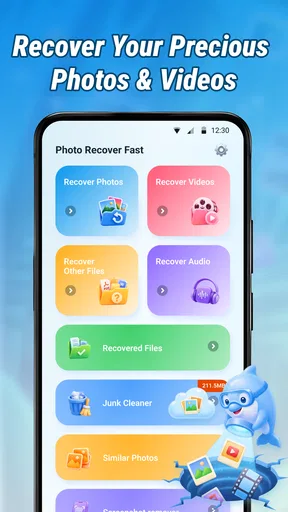
When a photo disappears from an Android phone, the first reaction is usually panic. I have been in that situation myself: deleting what looked like a duplicate, emptying a folder too quickly, or discovering that an important document is no longer where I expected it to be. Photo Recover Fast is built for that specific moment. It is a free tools app from Aivora Green that focuses on finding deleted photos and documents on an Android device, rather than trying to become a complete file manager or cloud-storage service.
My overall impression is that it is worth trying when the deletion is recent and the missing file was stored locally. The app is easy to understand because its purpose is narrow, and that is a real advantage when you are already frustrated. At the same time, I would not treat it as a guaranteed rescue service. Recovery depends heavily on what happened after deletion, where the file was stored, and whether the phone has already reused that storage space.
What Photo Recover Fast feels like in everyday use
The current release is version 1.5.0.0, and the app is available at no cost for Android devices running version 7.0 or later. That broad compatibility makes it practical for people using older phones, not only recent models. It also carries an Everyone age rating, so its basic audience is wide: students, families, older users, and anyone who needs a straightforward recovery attempt without paying first.
The most useful thing about the app is its direct focus. Instead of asking you to learn a complicated backup system, it is intended to help you look for deleted images and documents from the phone itself. That makes it especially suitable for a quick first attempt after an accidental deletion. I would open it before installing several unrelated recovery utilities, because adding more apps and creating new files can make the original deleted material harder to recover.
There is also a practical distinction between recovering a photo and merely locating a copy. A picture may still exist in a messaging folder, a camera folder, a thumbnail cache, a cloud-synced gallery, or a removable storage location. An app such as this can be useful when the normal gallery view no longer shows the item, but I still recommend checking the phone’s trash folder and any backup service first. Those options often preserve the original file more reliably than a scan.
In my view, Photo Recover Fast is best understood as a recovery attempt, not a promise. That wording matters. Deleted files are not always immediately erased in a way that makes them impossible to find, but the chances can fall as the phone continues to operate. Taking new photos, downloading videos, updating apps, and recording voice notes all create new storage activity. If the missing file is important, I would stop unnecessary use of the phone before beginning a recovery scan.
A realistic situation where it can help
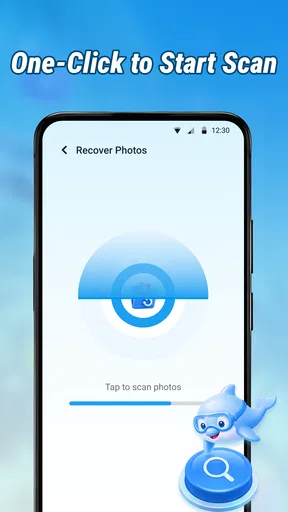
Imagine taking pictures at a family event and later clearing what appears to be a duplicate folder. The gallery is empty, the images are not in the visible trash area, and you have not taken many new photos since then. This is the kind of situation in which I would give Photo Recover Fast a chance. I would launch it, allow it to inspect the relevant storage areas, and look carefully through the results rather than restoring everything in one rush.
Worth Reading Before You Choose

EA SPORTS FC Mobile 26 Is a Bigger Football Game, but It Takes Time

Flipboard Shows What News Apps Must Do Beyond the Feed

Switching to Android Auto Means Rethinking Your Driving Routine

Google Calendar Makes a Crowded Week Easier to Manage

Ludo King Makes the Most of the Minutes Between Plans

Baby Panda World Brings Quick Play to Modern Phones, but Its Game Library Feels Busy
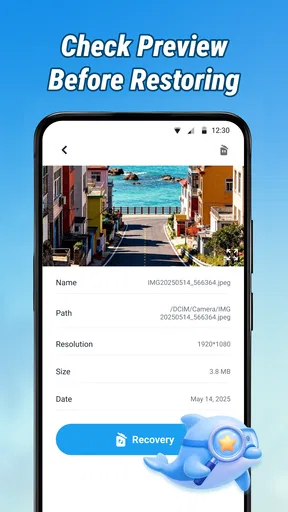
That last point is important. Recovery results can be messy. A scan may surface files with unclear names, repeated versions, small previews, or items that are technically present but no longer useful. I would compare image dimensions, visual quality, and creation context before selecting anything. For documents, I would open recovered copies where possible and check whether the text is intact. A file that appears in a result list is not automatically a complete, usable file.
One practical tip is to prepare a separate destination for recovered material. If the app allows you to choose where results are saved, avoid placing them in the same crowded folder that contained the deleted items. If you are working with a nearly full phone, freeing a little space first can also prevent a successful recovery from failing during the save stage. I would not delete more files just to make room without checking them carefully, though; the priority is preserving what remains.
How it compares with the usual alternatives
The closest alternatives are usually a phone’s built-in recycle bin, a cloud gallery backup, a computer-based recovery tool, or a file manager with its own trash feature. Each option solves a different part of the problem. A built-in trash folder is usually the cleanest route because it can preserve the original item and its normal name. Cloud backup is even better when synchronization was active before deletion, since the copy may still be available away from the phone.
Photo Recover Fast becomes more interesting when those ordinary routes do not show anything. Its advantage is convenience: you can try from the Android device instead of connecting the phone to a computer and learning desktop recovery software. That makes it more approachable for a quick, low-cost attempt. The trade-off is that a phone-based tool may not have the same access or recovery depth as specialist computer software, particularly when dealing with damaged storage, formatted media, encrypted areas, or files that have already been overwritten.
I would choose a computer-based solution when the missing material is irreplaceable, the phone has been heavily used since deletion, or the files were on a memory card that can be removed and examined separately. I would choose the built-in gallery or cloud option when available because those methods are generally less disruptive. Photo Recover Fast sits between those choices: simpler than advanced recovery software, but potentially more useful than a normal gallery search.
What the current version means for new and existing users
The app was released on May 13, 2026, and its current version is 1.5.0.0. That gives the product a relatively current starting point for someone discovering it now. I would still judge it by the recovery experience on my own phone rather than assuming that a version number guarantees a particular result. Recovery tools are affected by Android storage behavior, device manufacturers, file locations, and the time elapsed since deletion.
For a new user, the main benefit of this current state is clarity. The product name and store summary make its purpose immediately understandable, and the free price removes the financial barrier to making an initial attempt. The app has reached over one hundred thousand installs, with an average rating of four out of five from around one hundred eighty ratings. That suggests meaningful public use, although I would not read those figures as proof that every phone will produce the same outcome.
For existing users, an update to the current version is sensible before starting a recovery job, provided the phone can be updated without creating unnecessary storage pressure. A newer release may improve compatibility or handling, but I would avoid installing several large apps or taking new media while deciding what to do. The safest workflow is still to preserve the phone’s current state, check ordinary backup locations, and then make one focused recovery attempt.
There is a subtle trade-off here. Updating an app can be useful, but installing or updating anything writes data to the device. If a deletion happened moments ago, I would first check the gallery trash, file manager trash, and cloud account. If those checks fail and the file is highly valuable, I would consider whether using the phone further is worth the risk before installing any recovery app at all. For less critical images, the convenience of an immediate Android-based attempt may outweigh that concern.
Handling photos differently from documents
Photos are usually easier to recognize during a scan because a visual preview can reveal whether the result is the image you remember. Documents need more caution. A recovered document may have a familiar filename but contain missing pages, broken formatting, or an unreadable structure. I would restore document results into a clearly named folder, then test them in the application normally used to open them.
For photos, I would look for the largest or clearest version rather than saving every duplicate. A recovery list can contain several representations of the same picture, including a small preview and a larger copy. Saving everything can fill the phone quickly and make it harder to identify the useful result. A selective workflow—preview, compare, restore, verify—takes longer but produces a much cleaner outcome.
Another useful habit is to record where the missing item originally lived. Was it taken with the camera, downloaded from a browser, received through a chat app, or copied from a computer? That memory can guide the search and prevent confusion when results from multiple folders appear together. A camera image and a messaging attachment may look identical, but the recoverable copy can be stored in very different places.
Where the app may fall short
The biggest limitation is built into the problem itself: deletion is not the same on every Android phone. Some devices move files to a temporary trash area, some remove the visible reference while leaving recoverable data, and some storage systems make deep recovery difficult. If the phone has been reset, heavily used, or affected by storage damage, an app-based scan may show little or nothing useful.
I also would not use it as a substitute for a backup routine. Recovery is reactive and uncertain. A cloud photo service, regular computer copy, or carefully maintained external storage gives much stronger protection before an accident happens. If your pictures are valuable for work, legal records, travel, or family history, prevention should be the main plan and this app should be the emergency option.
Privacy is another reason to stay attentive. Deleted photos and documents can be personal, and recovery results may expose files you had forgotten were on the phone. I would review the results in a private setting, avoid sharing screenshots of the scan, and remove unwanted recovered copies afterward. I would also read the app’s permission prompts carefully and grant only what is necessary for its intended task. A recovery tool needs access to storage to work, but that does not mean I would approve unrelated access without thinking.
People who need guaranteed forensic recovery, extensive support for encrypted devices, or a carefully documented chain of custody should skip a casual phone app and use a specialist service. Likewise, anyone whose missing files already exist safely in a cloud backup has little reason to run a recovery scan. The app is a reasonable first response for ordinary accidental deletion, not the best answer to every storage failure.
What I would watch as the product develops
Because the current release is 1.5.0.0, I would pay attention to how future updates handle newer Android storage restrictions and the growing variety of manufacturer gallery systems. Compatibility is especially important for an app that works with local files, because a change in storage access can affect the practical results even when the interface looks unchanged.
I would also look for improvements in result organization. Clearer grouping by file type, original folder, size, and likely duplicate status would make recovery less tiring. A good recovery tool should help users distinguish a complete original from a tiny preview or an unusable fragment. Better explanations during scanning would also help people understand why some results can be restored while others cannot, without giving them unrealistic confidence.
Another area worth watching is the balance between speed and depth. A quick scan is convenient when a user has just deleted a few pictures, while a deeper search may be more appropriate for older or less obvious losses. If future versions make that choice clear, Photo Recover Fast could become more useful for both casual users and people facing a more complicated recovery job. I would still prefer transparent progress and honest result labels over a dramatic-looking scan that produces many irrelevant files.
The app’s free model is a strong reason to keep it in mind, especially for a one-time emergency. It means I can recommend trying it before spending money on a more advanced solution, as long as the missing material is not so important that experimentation could reduce the chance of professional recovery. For routine household accidents, that balance is appealing. For irreplaceable files, I would stop using the phone and consider expert help sooner.
After testing the idea against the way I actually manage lost files, I see Photo Recover Fast as a useful middle-ground tool. It is more focused than a general file manager, less intimidating than desktop recovery software, and easier to try than a paid service. Its strengths are its narrow purpose, free access, support for older Android versions, and suitability for a quick local search. Its weakness is that no app can reverse every kind of deletion, and recovery quality depends on circumstances outside the app’s control.
My recommendation is simple: use Photo Recover Fast early, carefully, and with realistic expectations. Check the phone’s own trash and backups first, avoid filling the device with new data, inspect results instead of restoring blindly, and verify every recovered photo or document. If that workflow matches your situation, this Tools app from Aivora Green is a sensible first attempt. If the files are critical, the phone has been used heavily since deletion, or the storage itself may be damaged, move quickly to a backup copy or professional recovery option instead.
Pros
- Simple interface makes recovery tools easy to find and use.
- Can help locate recently deleted photos on some Android devices.
- Useful for checking recoverable media before trying more advanced tools.
- Quick scans can provide results without a lengthy setup process.
- May recover images from folders users accidentally cleared.
Cons
- Recovery success depends heavily on whether deleted data was overwritten.
- Some features may require payment or contain frequent advertisements.
- Results can include duplicates
- thumbnails
- or unrelated cached images.
- Android storage restrictions may limit access on newer devices.
- It may not recover photos deleted long ago or removed from cloud backups.
FAQs for Photo Recover Fast
What is Photo Recover Fast and what does it do?
Photo Recover Fast is designed to help users search for and restore deleted or lost images from an Android device. After scanning accessible storage, it may display recoverable photos that have not yet been permanently overwritten. Its results depend on the device, Android version, storage type, and how much the phone has been used since deletion, so it should not be considered a guaranteed recovery solution.
Can Photo Recover Fast recover every deleted photo?
No recovery app can guarantee that every deleted image will be restored. Photo Recover Fast may find recently deleted or cached files, but recovery becomes less likely when new data has overwritten the original photo. Results can also vary because of encrypted storage, restricted system folders, cloud-only images, factory resets, or files removed permanently by the operating system. For the best chance, stop taking photos and installing apps before scanning.
Does Photo Recover Fast require root access?
The app may be able to perform a basic scan without root access, although non-rooted devices often provide limited access to internal storage. A deeper scan could require additional permissions or root privileges, depending on the phone and Android version. Rooting a device can create security, warranty, and data-loss risks, so users should carefully review the app’s instructions and avoid granting advanced access unless they understand the consequences.
Is Photo Recover Fast safe to use and does it protect privacy?
Before scanning, users should review the permissions requested by Photo Recover Fast and confirm why each one is necessary. Photo recovery tools commonly need access to photos, media, or device storage, but unnecessary permissions should be treated cautiously. Avoid uploading private images unless the app clearly explains how they are handled. Downloading from an official store, checking recent reviews, and reading the privacy policy are sensible precautions.
Is Photo Recover Fast free, and are there any limitations?
The availability of free features, advertisements, in-app purchases, and recovery limits can vary by version and device. Some tools allow users to preview found images for free but require payment to save or restore them, while others may restrict scan depth or file types. Check the current store listing before downloading, including subscription terms, refund information, and whether recovered files can be saved to a location you can access.


